Terra · Skyline Blog
How to Create a Booking by Pasting a WhatsApp Chat
Fabián Alvarez7 min read
TL;DR
- You paste the customer's WhatsApp chat into Terra and the AI pre-fills name, date, people and experience.
- You always review and confirm the draft before the booking is actually created.
- It works best when the chat already carries a lot of context at once; quickpay is better when you just need to send a payment link in one line.
- The booking created this way enters the same Terra operations calendar, with no difference from other creation methods.
Copy the customer's WhatsApp chat, paste it into Terra, and the AI pre-fills the name, date, number of people and experience from that text. You review the draft, fix anything missing, and confirm. It works best when the message carries several details at once; if you just need to send a quick charge, use quickpay instead.
What exactly does the paste-a-chat feature do in Terra?
Terra, Skyline's AI booking engine, has a feature built for the most common moment in daily tour operations: someone writes on WhatsApp asking for a spot, and that message already carries most of the information you need to create the booking. Instead of reading the chat and typing every field into a form by hand, you paste the full chat and the AI pre-fills the booking for you.
This isn't an automation that "guesses" things. It reads the text the traveler wrote, identifies the data that normally shows up in a booking conversation (name, date, number of people, which experience they want) and builds a draft. You review that draft, correct whatever is missing, and confirm. The AI doesn't invent anything: it works from what the customer actually wrote.
A typical example: a diving tour operator in Santa Marta receives this WhatsApp message: "Hi, we're 4 people, we want the snorkel tour on Saturday, I'm Laura Gómez." Instead of opening the calendar and creating the booking field by field, the operator copies that message, pastes it into Terra, and the system pre-fills the name (Laura Gómez), the date (Saturday), the number of people (4), and looks for the experience that matches "snorkel tour" in the catalog.
Why does this feature exist? The problem it solves
Any operator who handles bookings over WhatsApp knows the pattern: the customer writes, you read it, and then you have to re-type that same information into your booking system, a spreadsheet, or worse, just hold it in your memory until you have time to write it down. That transcription step is where errors sneak in: a mistyped date, a headcount you missed, a misspelled name.
Pasting the chat removes that manual step. The information flows from the original message into the booking without you rewriting it, which cuts the margin for error and saves you typing time, especially in high season when chats come in one after another.
How to create a booking by pasting a WhatsApp chat: step by step
Step 1: Copy the customer's message
Inside the WhatsApp conversation, select the message (or messages) where the customer gives the booking details: who they are, what they want, when, and how many people. You don't need to clean up the text or reformat it. Terra is designed to read the natural language of a conversation, not a rigid form.
Step 2: Paste it into Terra
In Terra's bookings section, find the option to paste the chat. Paste the text exactly as you copied it, with line breaks, emojis, or whatever the customer wrote.
Step 3: Let the AI pre-fill the draft
The AI processes the text and fills in the booking fields it can identify: traveler's name, requested date, number of people, and, when the message allows it, the experience the customer is referring to. This draft appears on screen ready for your review; it does not confirm itself.
Step 4: Review every field
This is the step you should never skip. Read what the AI pre-filled and compare it to the original message. If the customer wrote "next Saturday" without giving an exact date, confirm the system interpreted the correct Saturday. If they mentioned an experience by a colloquial name ("the waterfall tour") instead of the exact catalog name, check that it matched the right experience.
Step 5: Correct whatever is missing
If something was misread or left incomplete, edit it directly in the draft. It's normal for some messages to not carry all the information (for example, the customer didn't say how many people are coming), and you'll need to fill that in yourself by asking the customer or using what you already know from prior conversation.
Step 6: Confirm the booking
Once the draft is correct, you confirm, and the booking is created in your operations calendar, with the same data and flow as any other booking in Terra: payments, reminders, and follow-up included.
When does this beat quickpay?
Terra has another fast way to create a booking: quickpay, a booking with a payment link from a single chat line. Both features solve the same pain (creating bookings fast from a conversation), but they fit different moments.
The key difference is how complete and structured the information you already have is:
| Situation | Best option |
|---|---|
| The customer wrote a long chat with name, date, people and experience, and you want to capture all that context at once | Paste the chat |
| You already know exactly what you're selling and just need a quick payment link, without reviewing a full chat | Quickpay |
| You're live-answering a WhatsApp negotiation and want to send the charge in seconds | Quickpay |
| You have a long conversation (several back-and-forth messages) and want the AI to pull out the relevant data instead of you re-reading everything | Paste the chat |
| You're creating the booking from scratch with no prior conversation summarizing the request | Quickpay (or the manual form) |
In practice, many operators use both depending on the moment. Pasting the chat shines when a message arrives with plenty of context (a family writing in one go how many they are, when they want to go, and which tour interests them) and you want that context to land fully in the booking without rewriting it. Quickpay shines when the conversation was already settled verbally or by chat and the only thing left is sending the payment link in a single line, with no need for the AI to interpret a full paragraph.
A kayak operator in Guatapé who handles large group bookings, where the customer's chat usually carries several data points at once ("we're 8, we want the sunrise tour, I'm Carlos and this is my number"), benefits more from pasting the full chat. On the other hand, when that same operator already negotiated the spot by phone and just needs to send the charge, quickpay is more direct: one line, one link, done.
What if the chat doesn't carry all the information?
It's normal for a real chat to not have every field as neatly ordered as a form. The customer might write "I want to book for the weekend" without specifying the exact day, or mention the experience without saying how many people are going. In those cases, the AI pre-fills what it can clearly identify and leaves the rest for you to complete, either by asking the customer or using context from earlier conversations with that person.
This is intentional: the feature is meant to save you the typing of the obvious, not to have you confirm bookings without reviewing them. The review step before confirming is still yours.
Does this feature replace Terra's operations calendar?
No. Pasting the chat is a faster way to create the booking. Once confirmed, that booking enters the same operations calendar in Terra where you see bookings, guides, departures, travelers and payments in one place, with multi-user access for your whole team. It isn't a separate system or an "informal" booking: it works exactly like any other booking created by any other method inside Terra.
Do I need my catalog loaded in Terra for this to work?
Yes. For the AI to match what the customer asked for with a real experience in your catalog, that experience has to exist in Terra with its name, price and availability. If the customer mentions a tour you haven't created in the system yet, you'll need to fill in that field of the draft manually before confirming.
What to do next
If you already operate with Terra, try this feature on the next WhatsApp chat that comes in asking for a booking: copy the full message, paste it, and check how well it pre-filled before confirming. If you don't use Terra for your operation yet, schedule a review of your current booking flow to see at which point this feature would save you the most time.
More about Terra: terra.skyln.co
Frequently asked questions
Can the AI invent data if the chat doesn't include it?
No. The AI only pre-fills what it clearly identifies in the text you pasted. If something is missing, like the number of people, that field is left for you to complete before confirming.
Can I paste several messages from the same chat at once?
Yes, you can paste the part of the conversation that holds the relevant information, even if it spans several messages from the customer. The AI processes the full text you give it.
What happens if the customer mentions an experience that isn't in my catalog?
You'll need to fill in that field manually in the draft. For the automatic match to work, the experience must exist in Terra with its real name, price and availability.
Is a booking created this way different from one created manually?
No, once confirmed it enters the same Terra operations calendar, alongside bookings, guides, departures, travelers and payments, with no difference in treatment.
When is it better to use quickpay instead of pasting the chat?
When you've already settled the booking details and just need to generate a quick payment link from a single line, without reviewing a full chat.
Terra
See Terra in action
The AI booking engine for tour operators: bookings, itineraries, packages and payments, operated by chat via MCP.
Request a Terra demo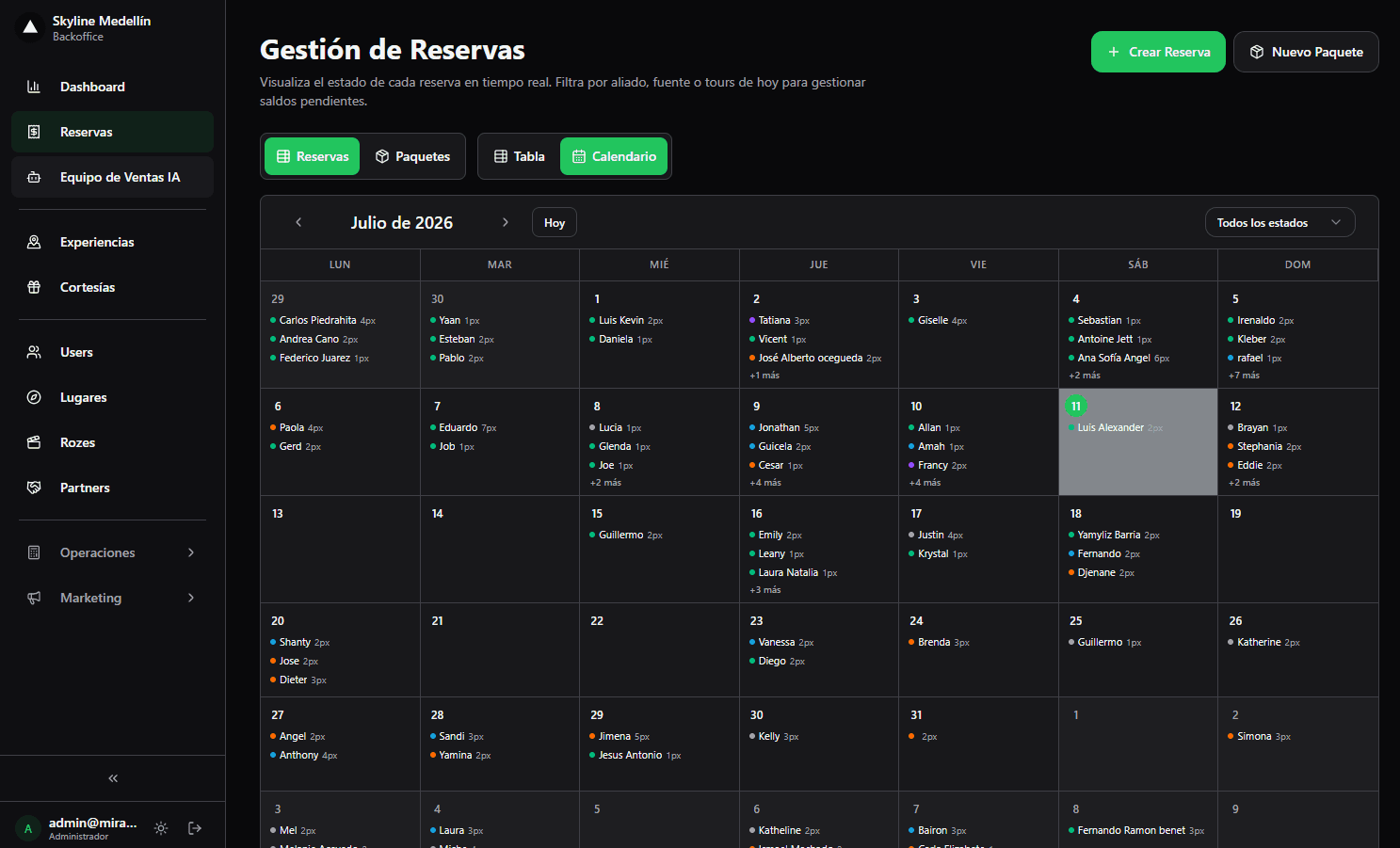
Related · Terra
How to Give Each Seller Their Own Sales URL
Each seller gets their own URL inside the same storefront and catalog as the operator.
ReadConnected Tour Operations: Bookings, Guides and Cash as One
Separating sales from operations forces manual reconciliation on every tour departure.
ReadSoftware for a Coffee-Tour Operator with Transport Included
Terra charges transfers per vehicle, not per person, airport↔hotel.
Read