Terra · Skyline Blog
How to Give Each Seller Their Own Sales URL
Fabián Alvarez7 min read
TL;DR
- Each seller gets their own URL inside the same storefront and catalog as the operator.
- Every booking is automatically attributed to whoever originated it, with no manual work.
- Commissions are computed automatically from that attribution, with no parallel spreadsheets.
- The same attribution logic applies to internal sellers and to external partners in the network.
You activate your storefront in Terra, Skyline's AI booking engine, and set up each seller with their own URL inside your same catalog. Every booking that comes through that URL is automatically attributed to that seller, just like any link or QR in the ecosystem, and the commission is computed on its own, with no spreadsheets or manual reports.
What does it mean for a seller to have their own sales URL?
It means every person on your sales team — a counter agent, a hotel front-desk person who refers guests, a guide who also sells — has a unique link that leads to your catalog, and every booking made from that link gets recorded under their name. It's not a separate page or a different catalog: it's your same inventory, your same prices, just with a different entry door for each seller.
This exists inside Terra, Skyline's AI booking engine. Terra gives you your own page at yourname.skyln.co with your full catalog, 9 visual themes to choose the look, unlimited experiences, and the ability for your sellers to each have their own URL inside that same storefront. You don't have to build anything separate or pay per new seller: the structure is already built for you to use this way.
Picture an agency in Cartagena with four in-person sellers and two digital sellers who work through social media. Today, without their own URL, everyone sends the same generic link, and when a booking comes in nobody knows for sure who originated it, unless they ask or write it down by hand in a spreadsheet. With their own URLs, each seller sends their link, and the booking shows up automatically attributed to that person.
Why is per-seller attribution the real problem this solves?
The underlying problem is almost never "I need a nice-looking page." It's that you don't know who sold what, and because of that you can't pay commissions with confidence or know which seller is actually driving results. Every booking and every redemption inside the Skyline ecosystem is attributed to whoever originated it, whether that's a link, a QR, a partner or a channel, and commissions are computed automatically from that attribution. That's the piece that actually solves the operator's pain point — not the URL itself, but what the URL lets you track.
Without automatic attribution, an operator has two options, and both are bad. The first is trusting the seller's word: "this booking was mine." That works until two sellers claim the same customer, or until someone forgets to report a sale. The second is running a parallel spreadsheet where someone on the team manually logs every booking and who it belongs to. It works, but it eats up time, goes out of date, and becomes the first source of end-of-month arguments about commissions.
With per-seller URLs inside Terra, that tracking becomes automatic. The seller doesn't have to report anything. The operator doesn't have to ask anything. The booking simply arrives already tagged.
How do you set up a unique URL for each seller in Terra?
The process is short because Terra already has the storefront structure ready: what you're adding is the seller layer on top of that same catalog.
Step 1: Activate your own page
If you don't yet have your storefront at yourname.skyln.co, that's the first step. That's where your full catalog lives, with the visual theme you choose among the 9 available, and no limit on published experiences. This page is the foundation every seller's URL gets built on: everyone shares the same catalog, the same prices and the same operations behind it.
Step 2: Create a seller for each person on your sales team
Inside your Terra account you add each seller. This isn't about duplicating the catalog or creating a separate account for each one: every seller stays linked to your main storefront, but with their own access URL. The operator keeps control of the catalog, prices and availability; the only thing that changes between sellers is the URL each one shares.
Step 3: Hand each seller their link
Each seller gets their unique URL. A counter seller can share it over chat with anyone asking about a tour. A digital seller can put it in their Instagram bio or stories. A hotel front-desk person recommending tours can leave it as a QR at the lobby. The destination is always the same catalog, but the origin stays marked.
Step 4: Let attribution do the work
From here you don't need to do anything manual. Every booking that comes in through a seller's URL gets attributed to that person inside the system, just like with any link, QR, partner or channel across the Skyline ecosystem. No need to cross-check spreadsheets or ask who closed the sale: the data is already in the system from the moment the customer booked.
Step 5: Review commissions and performance with real data
With attribution solved, paying commissions stops being an exercise in trust and becomes an exercise in reading data. You know exactly how many bookings each seller brought in, and you can use that to decide who needs more support, who's performing better on which channel, and where it's worth investing more training time.
What changes for the operator when commissions are visible?
Commission visibility has an effect that goes beyond bookkeeping: it changes the conversation with the team. When a seller can clearly see what they're owed for each booking they generated, they stop asking "did I get paid for last week?" and start focusing on selling more. When the operator can see, with no extra effort, how much they owe each person, month-end closing stops being a source of friction.
This is especially useful for operators with mixed teams: some full-time sellers, others freelance, some who only work high season. Automatic attribution doesn't care about seller type: it works the same for everyone, because the only thing that matters is the URL the booking came through.
A kayak operator based in Guatapé, for example, might have two fixed sellers in low season and add five more in December and January, when high season hits. Without their own URLs, adding temporary sellers also means adding the manual work of tracking who sold what during those two critical months. With their own URLs, adding a new seller is as simple as creating the account and handing them their link: attribution works from day one, with no learning curve for the operator.
What happens if the operator also works with Skyline's partner network?
This is worth clarifying because these are two different layers that coexist without overlapping. On one side is the internal seller, someone who works directly for the operator and has their own URL inside the business's storefront. On the other side is the Skyline Partners network, where ambassadors, hosts and guides outside the operator's team can also sell its experiences and earn a commission on every booking, through their own pages.
Both layers use the same attribution principle: every booking gets tagged according to where it came from, whether that's an internal seller of the operator or an outside partner from the network. This gives the operator a unified view of their business: it doesn't matter whether a booking came through a seller on their own team or through a partner from Skyline's wider network — in both cases the system knows who originated it and computes the corresponding commission.
For an operator who also wants to add volume from outside their own team, this matters because they don't have to choose between internal sellers and the partner network: they can run both on the same catalog, with the same attribution logic, without duplicating admin work.
What mistakes should you avoid when setting up seller URLs?
It's not a complicated process, but there are common slip-ups that reduce the tool's value:
- Handing the wrong link to the wrong seller. If you mix up URLs between two people, attribution is wrong from the start and commissions get calculated on incorrect data.
- Not telling the seller their link is their main sales tool. If a seller keeps sending the generic storefront link out of habit, attribution is lost, and with it, their commission.
- Not checking the panel regularly. Attribution is automatic, but its value only shows up when the operator actually looks at the data to pay commissions and make decisions about the team.
- Treating the URL as a separate page. It isn't: it's still your same catalog, your same prices and your same operation. The URL only marks the origin of the sale; it doesn't change anything about what's being sold.
What to do next
If you're still tracking your sales team's commissions with a spreadsheet or by asking each seller who closed what, activate your storefront in Terra and set up each seller with their own URL. Start with the two or three sellers who move the most bookings, and measure for a month how much clearer it gets to see who sold what before adding the rest of the team.
Frequently asked questions
Do I need a separate page for each seller?
No. All sellers share your same storefront at yourname.skyln.co, with the same catalog and the same prices. The only thing that changes between them is the access URL, which tracks where each booking came from.
How do I know which seller generated each booking?
Attribution is automatic: every booking and redemption inside the Skyline ecosystem gets tagged according to the link, QR, partner or channel it came through, and that includes each seller's own URL.
Is there a limit on how many sellers I can add?
Terra lets you have sellers with their own URL inside your storefront, built for operators whose teams grow during high season without adding manual tracking work.
Does this replace Skyline's partner network?
No. These are two separate layers that coexist: your internal sellers have a URL inside your catalog, and you can also receive bookings from the Skyline Partners network. Both are attributed with the same logic.
What happens if a seller sends the generic link instead of their own?
In that case the booking won't be attributed to that specific seller, because attribution depends on the URL used. That's why it's worth reminding the team to always use their own link.
Terra
See Terra in action
The AI booking engine for tour operators: bookings, itineraries, packages and payments, operated by chat via MCP.
Request a Terra demo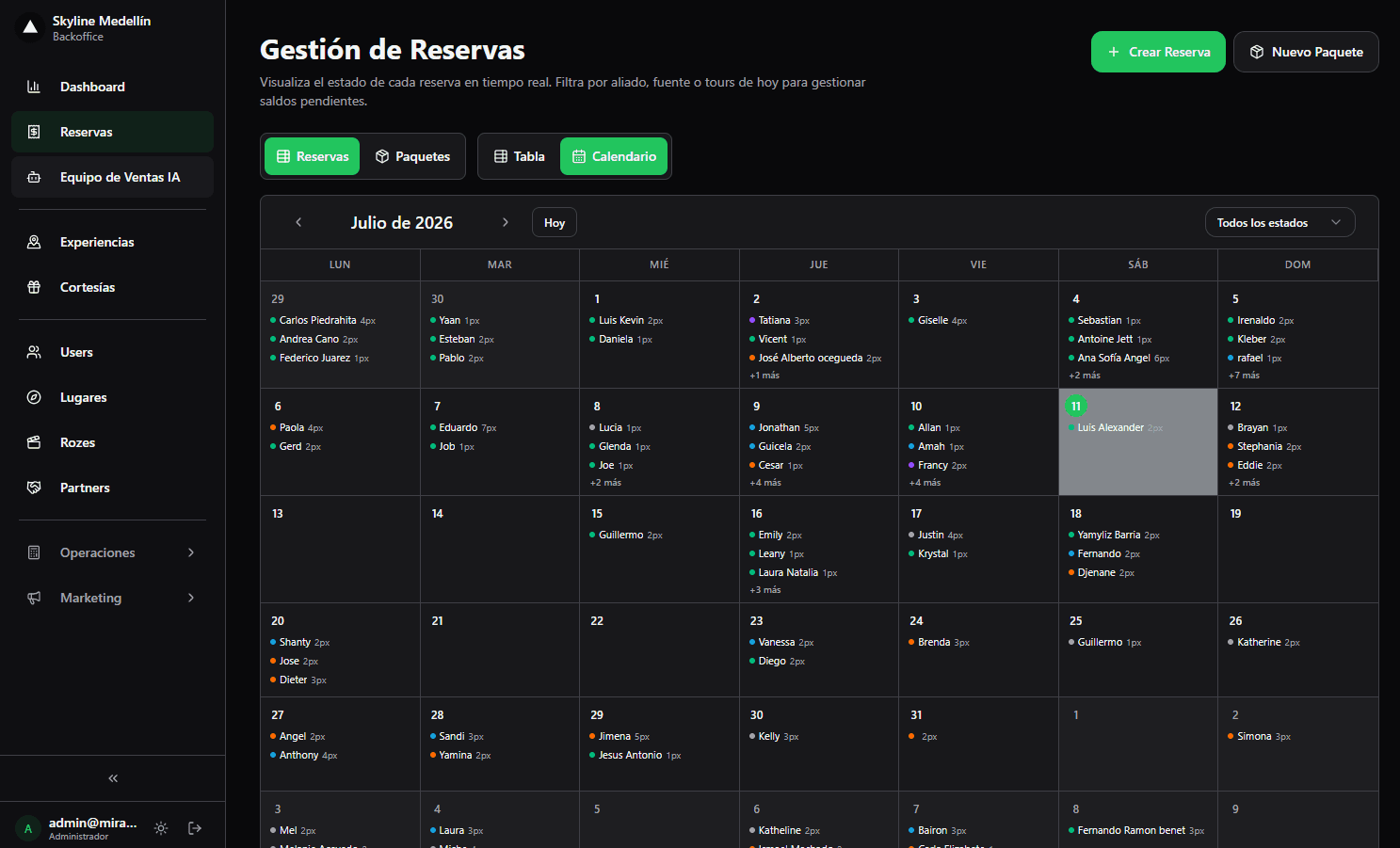
Related · Terra
Connected Tour Operations: Bookings, Guides and Cash as One
Separating sales from operations forces manual reconciliation on every tour departure.
ReadHow to Create a Booking by Pasting a WhatsApp Chat
You paste the customer's WhatsApp chat into Terra and the AI pre-fills name, date, people and experience.
ReadSoftware for a Coffee-Tour Operator with Transport Included
Terra charges transfers per vehicle, not per person, airport↔hotel.
Read