Draco · Skyline Blog
Comment-to-DM: Turn IG and TikTok Comments into Sales
Fabián Alvarez8 min read
TL;DR
- Comment-to-DM sends an automatic direct message to anyone who comments on an Instagram or TikTok post.
- That initial DM lands in Draco's unified inbox alongside WhatsApp, Instagram, Messenger, TikTok and email.
- From there Vega can quote, build packages and close the sale with real prices and real availability.
- The opening message works best when it references the specific video or photo, not a generic greeting.
- Set it up on a single post with clear buying intent before rolling it out further.
Comment-to-DM is a Draco automation that sends a direct message to anyone who comments on an Instagram or TikTok post. That message lands in the CRM's unified inbox, where Vega continues the conversation, quotes from the real catalog and takes the customer all the way to payment, without losing the original comment.
What is comment-to-DM and why should a tour operator care?
Comment-to-DM is an automation that sends a direct message to whoever comments on an Instagram or TikTok post. That's the full definition: someone leaves a comment on your video or photo, and without anyone on your team lifting a finger, that person receives a direct message from you.
For a tour operator, this solves a very specific problem. You post a reel of a sunset at a viewpoint, or a video of your kayak tour, and the comments section fills up with "how do I book?", "price?", "available dates?". If no one replies fast, those people move on to the next account that does answer. A comment is buying intent that cools off in minutes.
Draco, Skyline's AI CRM, connects that intent to a real sales conversation. Instead of the comment sitting there collecting likes without turning into anything, it automatically becomes a direct message that lands in your inbox and continues as a genuine conversation, with real prices and a payment link at the end.
This article is part of the content on WhatsApp as a sales channel for agencies. If you want the full strategy for WhatsApp-based customer care at your agency, check out the guide WhatsApp as a Sales Channel for Agencies: Complete Guide. Here, we focus on one specific point: how to capture social media comments and carry them through to the sale.
How comment-to-DM works in Draco
The automation runs on Instagram or TikTok posts. Someone comments, the system detects the comment and fires off a direct message to that person. You don't need to review comments one by one or copy-paste replies: the message goes out on its own, the moment the comment is posted.
What matters is what happens after that first message. The DM isn't the end of the process, it's the entry point. That direct message lands in Draco's unified inbox, the same one where WhatsApp, Instagram, Messenger and TikTok arrive; email also comes in as a channel. From there, the conversation continues like any other chat: it can be picked up by Vega, the AI agent that handles outreach, prequalification and real-time closing, or by a human on your team if you'd rather review it first.
Here's an example. A bird-watching operator in Colombia's Coffee Region posts a short reel with a hummingbird in slow motion. The video does well, 40 comments come in over a day, half of them asking about price and dates. Without comment-to-DM, those 40 people remain loose comments nobody follows up on. With the automation active, each one receives a direct message as soon as they comment, and that conversation lands in the same inbox where the operator already handles bookings over WhatsApp.
What you need before turning it on
- An Instagram or TikTok account connected to the business.
- Posts with content that generates real comments, not just passive views.
- A funnel defined in Draco where you want these conversations to land, with its own knowledge and mission.
- Clarity on which experience or experiences you're promoting from that specific post.
Without that last point, the automated message can sound generic. When a comment comes from a specific video (the kayak tour, the sunset viewpoint), the first message should feel connected to that, not like a standard welcome greeting.
How to set it up, step by step
Step 1: Identify the post
Pick the content you want to activate. There's no point connecting comment-to-DM to your entire account from day one. Start with the post getting the most buying-intent comments: the one asking "price?", "how do I book?", "dates?".
Step 2: Define the destination funnel
Draco lets you have multiple funnels per business, each with its own knowledge, mission and buyer persona; the AI answers according to the funnel the conversation is in. Before activating comment-to-DM, decide which funnel this conversation should fall into. If your agency sells both day tours and multi-day packages, a comment on the day-tour reel isn't the same as one on the four-day package video: each should land in its own funnel with its own knowledge loaded.
Step 3: Write the opening message
This is the step most people underestimate. The message a person receives when they comment sets the tone for everything that follows. Some practical rules:
- Connect to the content: mention what they saw in the video or photo, not a generic greeting.
- Keep it short: one or two sentences, not a corporate welcome paragraph.
- Give a clear next step: ask what date they're thinking of going, or how many people the experience is for.
- Avoid sounding like a bot: Draco replies with short, warm messages in the brand's tone, no robotic paragraphs and never introducing itself as a virtual assistant; your comment-to-DM message should follow that same line from the very first contact.
A message like "We saw your comment on the kayak tour video. What date are you thinking of?" works better than "Hi! Thanks for your interest, how can we help?". The difference is that the first one shows the brand saw that specific comment, not a copy-pasted message sent to everyone.
Step 4: Turn on the automation
With the message ready and the funnel defined, you activate comment-to-DM on the chosen post. From that point on, every new comment triggers the DM automatically.
Step 5: Watch the first conversations
Don't leave the automation unattended the first few weeks. Check how people respond to the opening message, whether they understand the question, whether the assigned funnel makes sense. If Vega is in copilot mode, the AI drafts the reply and a person on your team approves or corrects it before sending; this gives you control while you confirm the flow works well, and you can revert at any time if something's off.
How the conversation continues once it hits the inbox
This is where the real value of connecting comment-to-DM to a CRM, instead of leaving it as a standalone automation, shows up. The initial DM is just the hook. What decides whether that person books or gets lost is what happens in the following messages, and that happens inside Draco's unified inbox.
Once the conversation lands there, it lives alongside the rest of your channels: WhatsApp, Instagram, Messenger, TikTok and email. This matters because the person who commented on Instagram often ends up preferring to continue on WhatsApp, or vice versa. Since everything sits in the same inbox, the thread doesn't get lost and you don't have to ask the person to repeat what they already said.
From there, Vega can take over the conversation: it recommends from the real Skyline Partner catalog, quotes with real prices and real availability, builds packages if needed, and takes the sale all the way to payment within the same chat. If the business doesn't use online payments, Vega confirms via WhatsApp with the same link, without extra friction.
While the conversation moves forward, other agents work in the background. Kai assigns a temperature to each lead and moves it through the funnel stages based on how close it is to buying. If a lead goes quiet after the first exchange, Leo handles re-engagement with proactive follow-ups, at the intensity configured for that funnel. Every night, Axel reviews how that conversation was handled (by Vega or by a human) and turns it into metrics and coaching for the team, without talking to the customer directly. And Iris triages conversations that have gone quiet, deciding whether the lead is still alive, whether it landed in the wrong funnel, or whether it needs a human to step in.
Back to the bird-watching operator in the Coffee Region: of the 40 comments on the hummingbird reel, some turn into a conversation, state the date they want to go, Vega quotes the tour's real price and sends the payment link. Others don't respond after the initial DM; that's where Leo follows up without chasing the customer too hard, respecting the configured message cap. The operator didn't review comment by comment: the inbox did the work of organizing and prioritizing.
Common mistakes when activating comment-to-DM
- Activating it on posts without clear buying intent. A purely aesthetic video with no mention of booking or pricing generates admiring comments, not buying ones; the automatic DM can feel invasive if no one asked anything related to booking.
- Leaving the opening message generic. If the DM doesn't reference the specific content, the person doesn't feel personally addressed, and response rates drop.
- Not assigning a funnel with its own knowledge. Without that knowledge loaded, the AI may reply with information that doesn't match the experience the person saw in the video.
- Not checking the first few weeks. Every new automation needs adjustments; leaving it unsupervised at the start can let conversations slip through that needed a different tone or a correction.
What to do next
Pick your post from the last few weeks with the most buying-intent comments, define the funnel that conversation should fall into, and write an opening message that specifically references that content. Activate comment-to-DM on that single post first, watch how people respond for a few days, then decide whether to roll it out to other content.
Frequently asked questions
Does comment-to-DM work on both Instagram and TikTok?
Yes, Draco's automation covers posts on both networks: anyone who comments receives the configured direct message.
Does the AI write the automatic message, or do I?
You define the opening message and the destination funnel. Once the conversation progresses, Vega can take it over in copilot mode, where it drafts replies and a person approves or corrects them, or in autonomous mode once the team trusts the AI.
What happens if the person doesn't reply to the initial DM?
The conversation stays in the inbox and Leo handles proactive follow-ups according to the intensity configured for that funnel, without chasing the customer beyond the defined message cap.
Do I need a different funnel for every post?
Not necessarily, but it helps to assign each type of content to the funnel with the right knowledge. If you promote different experiences, each one should land in the funnel that has that information loaded.
Does comment-to-DM replace WhatsApp customer care?
No, it complements it. The comment turns into a direct message that lands in the same inbox where you already handle WhatsApp, Instagram, Messenger and TikTok, so the conversation stays in one place no matter where it started.
Draco
See Draco in action
The AI CRM for agencies and tour operators: WhatsApp, Instagram, Messenger and TikTok in one inbox, handled by five AI agents.
Try Draco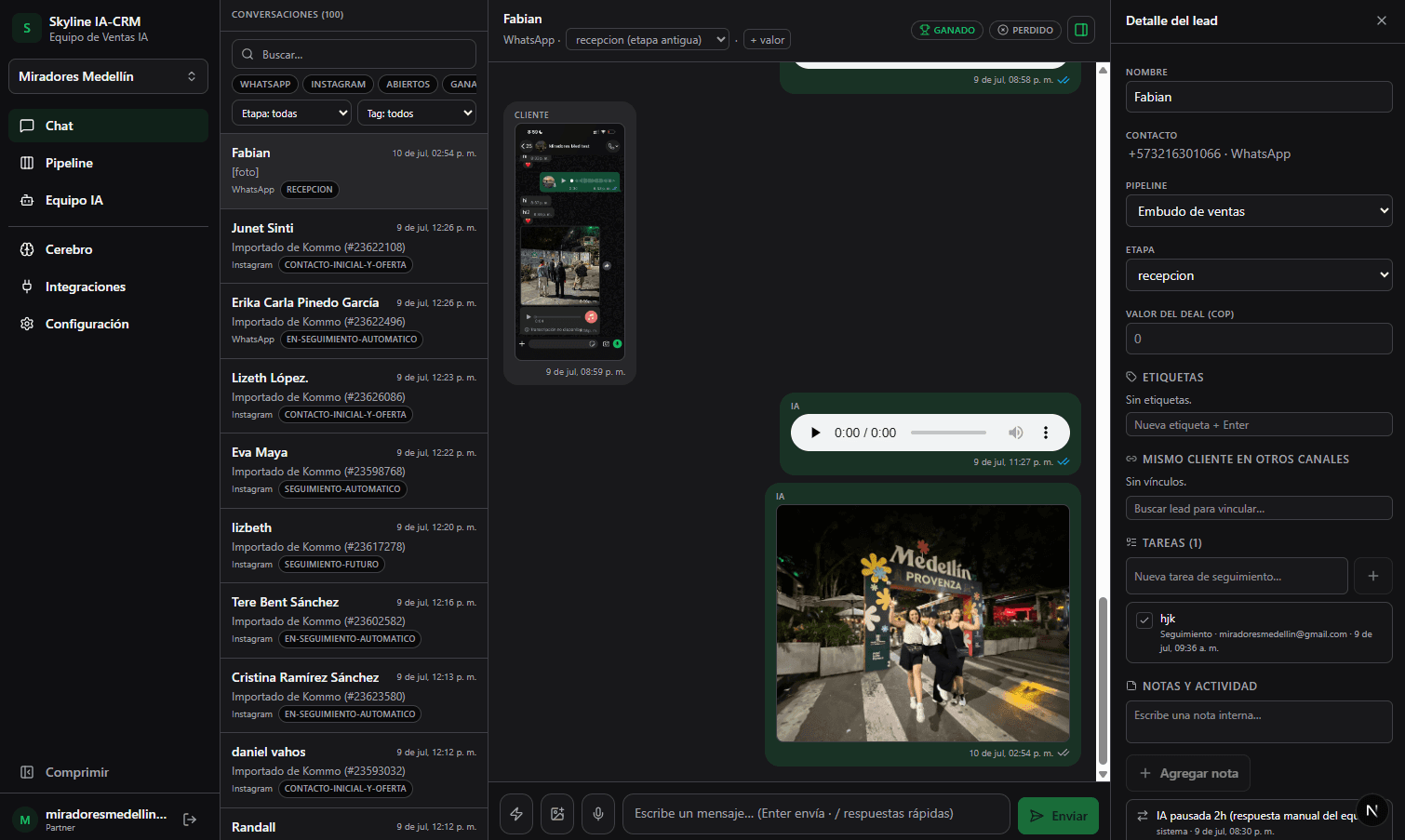
Related · Draco
How to Tune a Sales AI's Intensity Without Chasing Customers
Vega (low, medium, high) controls how proactive she is in real time within an active conversation.
ReadFunnel, Stage, Temperature, Task: Tourism CRM Vocabulary
A funnel is the sequence of stages a lead goes through, with its own handling rules for each type of sale.
ReadWhat Happens to WhatsApp Business If You Connect a CRM?
With official Meta coexistence, your WhatsApp Business number keeps working the same way on your phone.
Read