Terra · Skyline Blog
How to Settle a Tour Departure Without Spreadsheets
Fabián Alvarez7 min read
TL;DR
- Departure settlement is the cash close of a tour: income, guide expenses, commissions and what remains for the operator.
- Terra's per-departure settlement panel builds an automatic draft from the operations calendar.
- AI reading of the guide's report turns receipt photos into expense lines, with no manual transcription.
- Every settlement connects to operations accounting: daily close, accounts with collaborators and commissions between partners.
- Moving from spreadsheets to the panel cuts dependence on a single person who knows how to build the sheet.
To settle a departure without spreadsheets, use Terra's per-departure settlement panel: it pulls income already recorded on the operations calendar, reads the guide's expense report with AI, builds an automatic draft that includes commissions, and keeps receipts attached to each line, instead of rebuilding the close by hand every time.
What is settling a tour departure, and why does it hurt in a spreadsheet?
Departure settlement is the cash close of a tour departure: income, guide expenses, commissions and what remains for the operator. It sounds simple until you have several departures on the same day, guides reporting over WhatsApp with blurry receipt photos, and a spreadsheet someone has to update by hand before they forget what each guide spent.
The problem isn't the settlement itself. It's that most operators do it with scattered information: the booking lives in a chat, the payment in another app, the guide's report in voice notes or photos, and the final calculation in a sheet that lives on the operations person's phone. When that person gets sick or goes on vacation, nobody else knows how the close gets built.
An operator running several departures a week with a rotating team of guides can end up losing a chunk of every weekend reconciling cash that got backlogged during the week. And when a number doesn't add up, nobody remembers if it was the gas money or the tip at the restaurant where the group had lunch.
This guide explains how to move from that spreadsheet to a departure close that builds itself, with Terra, Skyline's AI booking engine.
What information do you need to settle a departure?
Before automating anything, it helps to be clear on what goes into a close. Every departure settlement brings together four pieces:
- Departure income: what travelers paid, whether full booking, deposit or balance collected later.
- Guide expenses: transport, meals, site entrance fees, unexpected costs the guide pays in cash and reports back on.
- Commissions: what gets paid to a partner, seller or ambassador if the booking came through their link.
- What's left for the operator: the net result of the departure, after subtracting expenses and commissions from income.
If any of these four pieces lives in a different place (a spreadsheet, a chat, a voice note), the close becomes a reconstruction exercise every time. If they live in the same system that already has the booking and the payment, the close builds itself from what already exists.
How does the per-departure settlement panel work in Terra?
Terra has a per-departure settlement panel: each tour's cash, automatic drafts, receipts and AI reading of the guide's report.
This means that for every departure scheduled on the operations calendar, Terra already knows how many bookings there are, how much was charged, and from which travelers. From there it builds a first draft of the settlement without anyone having to copy numbers from one place to another.
Step 1: the departure already carries its income
Since bookings, guides, departures, travelers and payments live in a single multi-user operations calendar, the income for each departure isn't entered separately; it's already there from the moment the booking was made or the quickpay or deposit was charged. The operator doesn't have to go into the payments module and copy the total into a cell.
Step 2: the guide reports, and the AI reads it
When the guide comes back from the departure, they report their expenses (transport, meals, unexpected costs) with photos of the receipts. Terra does AI reading of the guide's report: instead of someone transcribing each receipt by hand, the system interprets the report and turns it into that departure's expense lines.
A kayak operator on a lake tour, for example, has a guide who pays for parking, fuel for the support boat and the group's lunch on every departure. Before, that guide would send three photos over WhatsApp and someone in the office would type them into a spreadsheet over the weekend. With AI reading, those same photos go straight into the departure's draft.
Step 3: the automatic draft crosses everything
With the departure's income and the guide's expenses already loaded, Terra builds an automatic draft of the settlement: income minus expenses, with room for whatever commissions apply if the booking came through a network partner or a seller with their own URL. The operator doesn't start from zero; they review the draft, adjust anything that doesn't add up, and confirm.
Step 4: receipts and close
Each expense line keeps its attached receipt, so if a month later someone asks why that departure cost what it cost, the answer is in the same panel, not in a roll of photos lost on someone's phone. The settlement panel isn't just the final result; it's also the backup behind that result.
What about the business's accounts beyond a single departure?
Settling departure by departure solves each tour's close, but an operator also needs to see the whole business: how much came in today, what's owed to a collaborator, what commissions are pending with a partner. For that, Terra has operations accounting: daily close, accounts with collaborators (advances, loans, bonuses), commissions and payments between partners.
This connects directly with per-departure settlement: every tour close feeds the daily close, and every commission calculated in a settlement shows up in the accounts of the partners who generated it. If a guide received an advance last week, that pending account is recorded alongside their departure settlements, not in a separate notebook.
An operator who works with a mix of regular and freelance guides rotating by season can see, in one place, how much is owed to each one, what bonus was agreed for an especially long departure, and how much commission goes to an ambassador who brought in bookings that month.
Spreadsheet settlement vs. settlement panel in Terra
| Spreadsheet | Settlement panel in Terra | |
|---|---|---|
| Departure income | Copied by hand from another system | Already in the operations calendar |
| Guide expenses | Transcribed from photos or voice notes | AI reading of the guide's report |
| First calculation | Built formula by formula every time | Automatic draft per departure |
| Receipts | Scattered on a phone or in email | Attached to each expense line |
| Accounts with collaborators | Separate sheet, easy to fall behind on | Integrated into operations accounting |
| Dependence on one person | High: only whoever builds the sheet knows the process | Low: the panel is the same for anyone on the team |
How to start settling departures without spreadsheets this week?
Step 1: centralize a departure's bookings on the calendar
If today a single departure's bookings are split between WhatsApp, a spreadsheet and some form, the first step is getting all of them into the same operations calendar. Without this, the automatic draft has nothing to start from.
Step 2: ask the guide to report with photos, not loose text
The report works better when the guide uploads a photo of each receipt instead of writing a summary from memory. AI reading needs the actual receipt to turn it into an expense line.
Step 3: review the draft before confirming
The automatic draft saves the work of building the settlement from scratch, but it's still a draft. It's worth reviewing it departure by departure at first, until the team trusts that expenses and commissions are being crossed correctly.
Step 4: connect the settlement to the daily close
Once the per-departure panel is working, the natural next step is to let it feed the daily close and the accounts with collaborators, instead of keeping that part in a separate sheet.
If you also collect deposits or quickpays to confirm these same departures, it's worth checking the guide on payments, deposits and payment links for operators How to Charge Tour Bookings Online: Deposits & Links, which explains how that initial charge connects to everything that ends up in the settlement.
What to do next
Pull up your last departure that was closed in a spreadsheet and compare it against the four elements of a settlement (income, guide expenses, commissions, net result): if it took more than a few minutes to piece together those four numbers, it's time to try Terra's per-departure settlement panel on your next scheduled departure.
Frequently asked questions
What exactly is a departure settlement?
It's the cash close of a tour departure: guide expenses and commissions get subtracted from that departure's income to find what's left for the operator. It also includes the receipts that back up each expense.
Does the guide need to learn a complicated system to report expenses?
No, the guide reports with photos of the receipts and Terra does AI reading of the report to turn it into expense lines. It doesn't require the guide to fill out a sheet or use formulas.
Does the automatic draft replace the operator's review?
No, the draft saves the work of building the settlement from scratch, but it's worth reviewing before confirming, especially at first, until the team trusts how expenses and commissions get crossed.
How does per-departure settlement relate to the business's overall accounting?
Every departure settlement feeds Terra's operations accounting: the daily close, accounts with collaborators (advances, loans, bonuses) and commission payments between partners stay connected, not in separate sheets.
What if I have freelance guides who rotate by season?
Accounts with collaborators record advances, loans and bonuses per person, so you can see what's owed to each freelance guide alongside their departure settlements, without relying on a separate notebook.
Terra
See Terra in action
The AI booking engine for tour operators: bookings, itineraries, packages and payments, operated by chat via MCP.
Request a Terra demo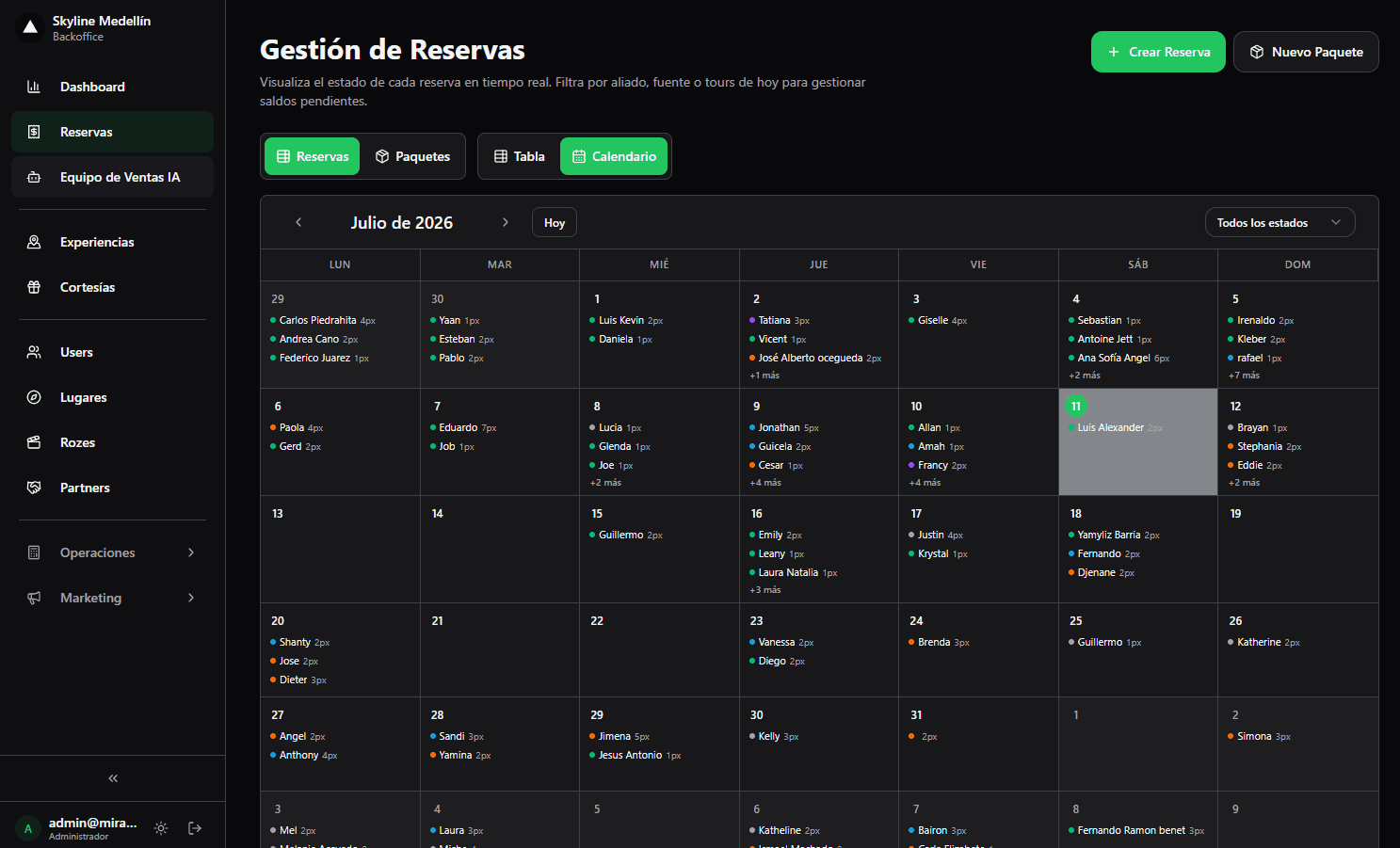
Related · Terra
Software for a Daily-Departure Guatapé Tour Operator
Terra brings bookings, guides, departures, travelers and payments into one multi-user calendar.
ReadWhat Is a Deposit in a Tour Booking?
A deposit is a partial payment that confirms the booking; the balance is paid later.
ReadHow Do I Send a Tour Payment Link Over WhatsApp?
Terra generates a payment link with quickpay from a single line of chat.
Read