Terra · Skyline Blog
How Do I Send a Tour Payment Link Over WhatsApp?
Fabián Alvarez6 min read
TL;DR
- Terra generates a payment link with quickpay from a single line of chat.
- The client pays the total or a 30% deposit with the balance due later.
- If you don't use online payments, the booking is confirmed via WhatsApp with the same link.
- Prices are computed server-side from the catalog, so the link always reflects the real price.
- The paid or deposited booking is recorded straight into your operations calendar.
You create the booking in Terra (with quickpay, in a single chat line, or a full booking) and the system generates a payment link. You paste it in WhatsApp; the client opens it, pays the total or a 30% deposit with its own checkout, and the booking is confirmed and recorded in your calendar automatically.
The direct answer
To send a tour payment link over WhatsApp with Terra, Skyline's AI booking engine, you don't need to leave the conversation with your client. Terra generates a payment link from a single line of text (quickpay) or from a full booking, and that link gets pasted straight into the chat. The client opens it, pays or puts down a deposit, and the booking is confirmed automatically. Let's walk through it step by step, because the detail is in what the client sees and what happens after they click.
What do I need before sending the link?
Before sending any link you need two things: the experience already loaded in your Terra catalog, and the chat open with your client (WhatsApp, Instagram, or whatever channel you're talking on). You don't need a special template or to copy prices by hand. The engine calculates the value from the catalog, so your job is just to tell Terra which experience, for how many people, and when.
Example: a tour operator in Guatapé has a "Boat ride + Piedra del Peñol" experience loaded in Terra with its price and availability. When a traveler messages on WhatsApp asking about availability for Saturday, the operator doesn't quote by hand: they generate the booking in Terra and within seconds have the link ready to paste into that same conversation.
How is the payment link created, step by step?
1. Use quickpay for a fast booking
If the client already confirmed what they want, the shortest path is quickpay: a booking with a payment link from a single chat line. Instead of filling out a full form, you type (or dictate to your AI assistant connected via MCP) something like "booking for 2 people, boat tour, Saturday 10am" and Terra returns the link ready to send. This is especially useful when you're mid-conversation and the client is waiting for a reply right now.
2. Or create a full booking if you need more detail
When the tour has variations (date, meeting point, exact number of travelers, special notes), you can create the full booking inside Terra instead of using quickpay. The result is the same: a payment link tied to that specific booking, with the price already calculated by the system from the catalog. The difference from quickpay is that here you record more context before generating the link, which is useful if you'll need that information later for the day of the tour.
3. Copy the link and paste it into WhatsApp
Once generated, the link is a normal URL. You copy it and paste it into the WhatsApp chat with your client, just like you'd share any link. There are no intermediate steps and the client doesn't need to download anything or create an account.
What does the client see when they open the link?
The client sees a payment page with Terra's own checkout: online payments with its own checkout, with a 30% deposit option and balance paid later. The booking details appear there (the experience, the date, the amount) and two possible paths:
- Pay in full: covers the entire amount at once.
- Pay the deposit: pays 30% to confirm the spot and leaves the balance due later.
This deposit option is key for operators working with advance bookings: the client secures their spot without committing the full amount right away, and you already have the booking confirmed on your calendar.
Example: an agency in Cartagena selling a full-day tour to the Rosario Islands usually gets bookings weeks in advance. Instead of chasing the client to pay everything at once, it sends the link and lets the traveler decide: if they pay the 30% deposit, the booking is already secured and the balance gets resolved closer to the date.
What if my business doesn't use online payments?
Not every operator collects payment online, and Terra accounts for that case: when the operator doesn't use online payments, the booking is confirmed via WhatsApp with the same link. In other words, the link is still the same reference point for the booking; what changes is that confirmation happens directly in the WhatsApp conversation instead of through an online payment processed at checkout. This gives flexibility to operators who collect cash, manual bank transfer, or any other method outside Terra's checkout.
What happens after the client pays?
Once the client completes the payment (or the deposit), the booking gets recorded in your operations calendar inside Terra, alongside the rest of your departures, guides and travelers. You don't have to write anything down separately or cross-check information between WhatsApp and a spreadsheet: the booking is already in the system with the correct status (paid in full or with a deposit).
From there the operational part kicks in: the traveler can receive automatic confirmations and reminders before the tour, and you have visibility into which departures are complete, which have pending balances, and which are still open. If at some point you need to send the outstanding balance, the same flow applies: you generate or reuse the link and send it through the same chat.
Summary table: quickpay vs. full booking
| Quickpay | Full booking | |
|---|---|---|
| When to use it | Client already confirmed, you need the link now | Booking with more detail or variations |
| How it's created | One line of chat | Form or full flow in Terra |
| What the client receives | Payment link | Payment link |
| Payment options | Full or 30% deposit | Full or 30% deposit |
| Without online payments | Confirmation via WhatsApp with the same link | Confirmation via WhatsApp with the same link |
Why not quote by hand over WhatsApp?
Quoting by hand works fine when you have few bookings, but it breaks down fast as volume grows: outdated prices, mismatched availability, confirmations that get lost between chats. Because prices are computed server-side from the catalog, every link you send reflects the real, current price of that experience, without relying on someone remembering it or copying it correctly. This cuts down on human error right at the most sensitive moment: the charge.
This payment flow is just one piece of an operator's full booking process; if you want to see how it connects with deposits, outstanding balances and departure settlements, that full picture lives in How to Charge Tour Bookings Online: Deposits & Links.
What to do now
If you're still quoting by hand over WhatsApp, the next step is to load your catalog of experiences into Terra and try quickpay on your next booking: type one line with the client's details and watch the payment link that gets generated, ready to send straight into the chat.
Frequently asked questions
Do I need a separate app to generate the payment link?
No, the link is generated inside Terra and it's a normal URL that you paste into any chat, including WhatsApp. The client doesn't need to download anything or create an account to pay.
Can I send the link before I have all the booking details?
Yes, that's what quickpay is for: you generate the link with a single chat line once the client has confirmed what they want. If you need to record more detail, you use the full booking flow in Terra.
What happens if the client only pays the deposit?
The 30% payment confirms the booking and the balance stays pending to be paid later, with Terra's own checkout. The booking already appears confirmed on your calendar even if the balance isn't covered yet.
Can I use this link if I collect payment in cash or by manual transfer?
Yes. When the operator doesn't use online payments, the booking is confirmed via WhatsApp with the same link, so the sending flow is the same even though the final payment doesn't go through checkout.
Can the price on the link change or be wrong?
No, because prices are computed server-side from the catalog and the AI cannot make up a price. Every link reflects the real, current value of the experience at that moment.
Terra
See Terra in action
The AI booking engine for tour operators: bookings, itineraries, packages and payments, operated by chat via MCP.
Request a Terra demo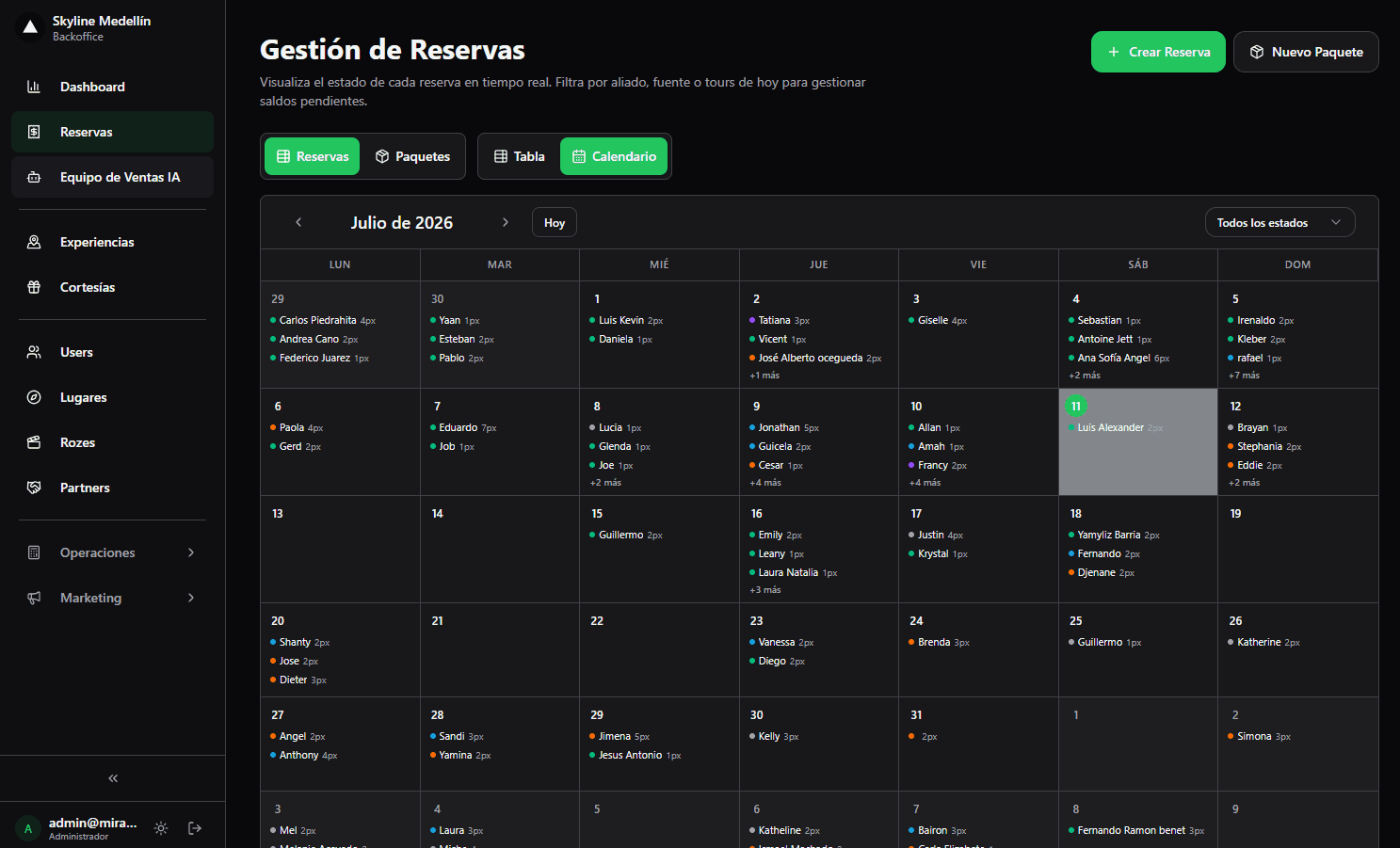
Related · Terra
How to Build a Multi-Experience Package With One Link
An itinerary is planned day by day; a package is the sellable version with a single payment link.
ReadQuickpay, Itinerary, Package, Deposit: Chat Booking Terms
Quickpay: a one-step booking with a payment link to close fast over chat.
ReadAgentic AI in Tours 2026: From Answering to Executing
Agentic AI executes real actions (creating bookings, editing itineraries), not just answering questions.
Read